YouTube Music × Wear OS
Part 2 of 2
Output Switcher: Bringing Device Switching Into YouTube Music's Wear OS Player
Designing a solution to a market gap and a user problem: switching between devices inside YouTube Music's Wear OS player.
The product
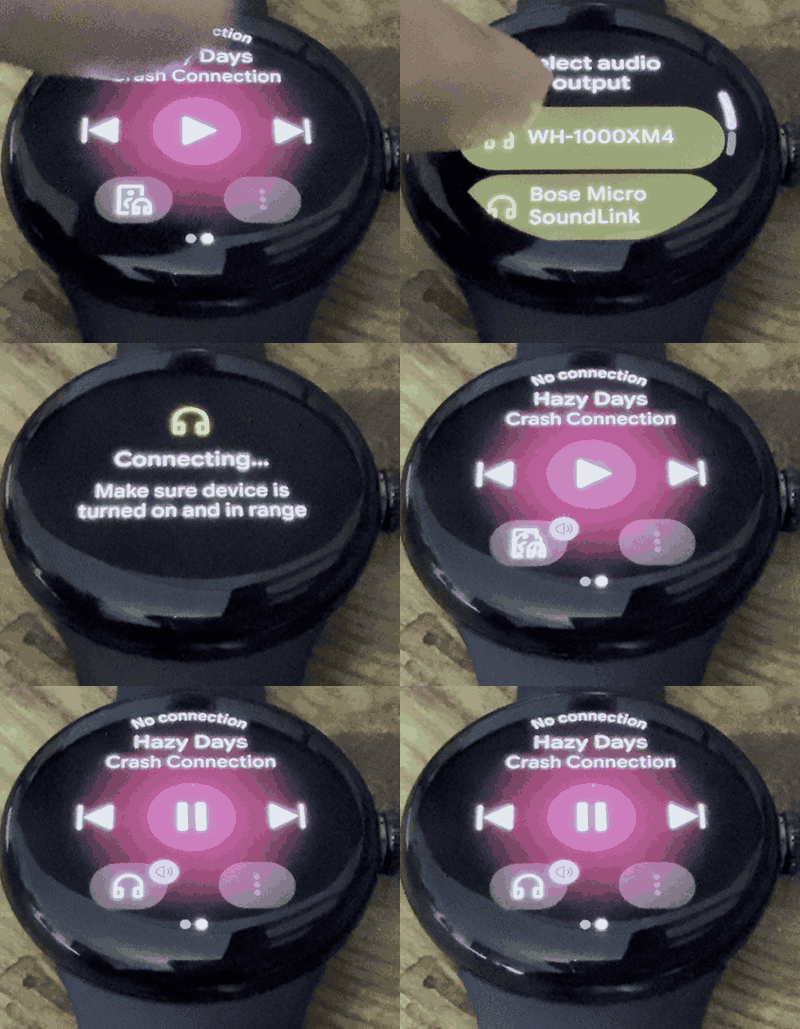
Connecting to a device
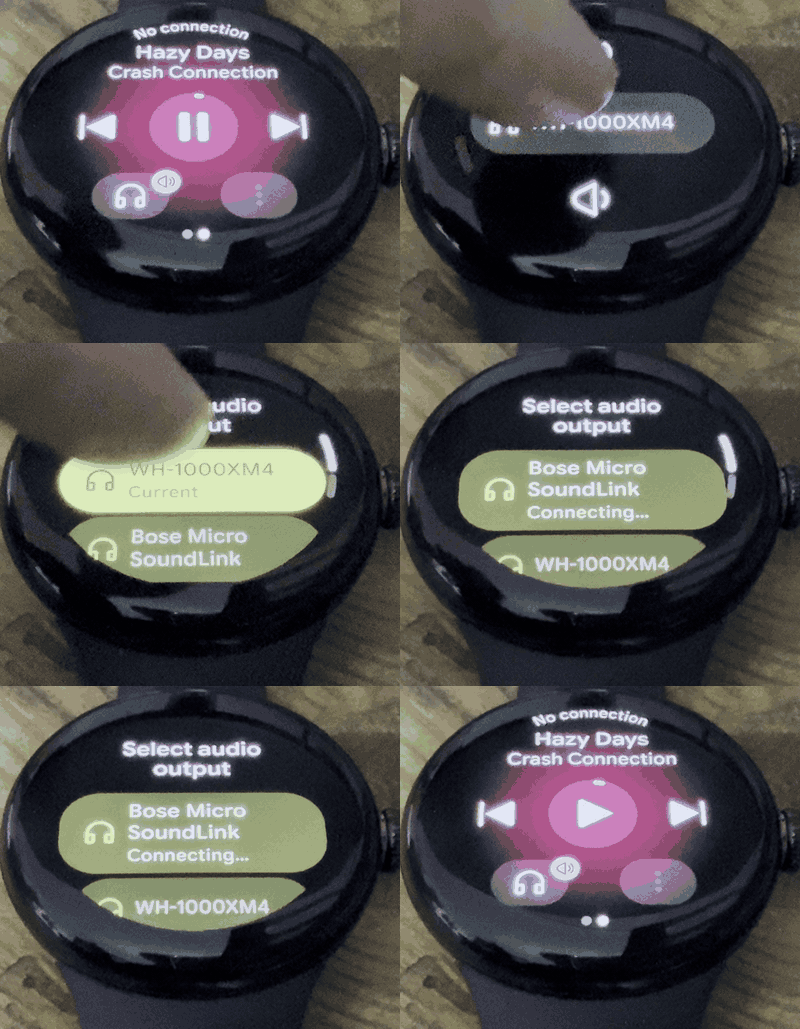
Switching between devices
Context
User need
Smartwatch users ranked media controls by importance:
1
Volume
2
Device switching
3
Custom actions
No device switching in the media player. Switching meant 10+ steps in system settings.
Market gap
Spotify: limited custom controls
SoundCloud: unintuitive entry point
No one did both well. A chance to set the standard.
Constraint
A team of three, and our PM left a few weeks in. My lead and I took over prioritization:
P0
Device switching
P1
Shuffle and repeat
P2
More player actions
My Role
How I came on
Joined as a junior designer, then stepped up into prioritization when our PM left.
What I owned
- Prioritization: the P0/P1/P2 roadmap, with my lead
- The combined entry point: the icon that merges volume and device switching
- Critical user journeys: the key paths for switching devices and adjusting volume
Who I worked with
- Lead designer
- One engineer
- YTM design leadership: sign-off on direction
Design Process
One Icon, Two Jobs
- The problem: Device switching mattered almost as much as volume controls, yet it was buried in system settings.
- The approach: Give the volume entry point a second job, with one icon showing where audio is going.
- The turn: Design review pushed back on the flow, and reframing it around the critical user journeys got it approved.
1 · Starting from the research
Users ranked device switching second only to volume, and the lackluster experience shows in this r/YoutubeMusic thread.
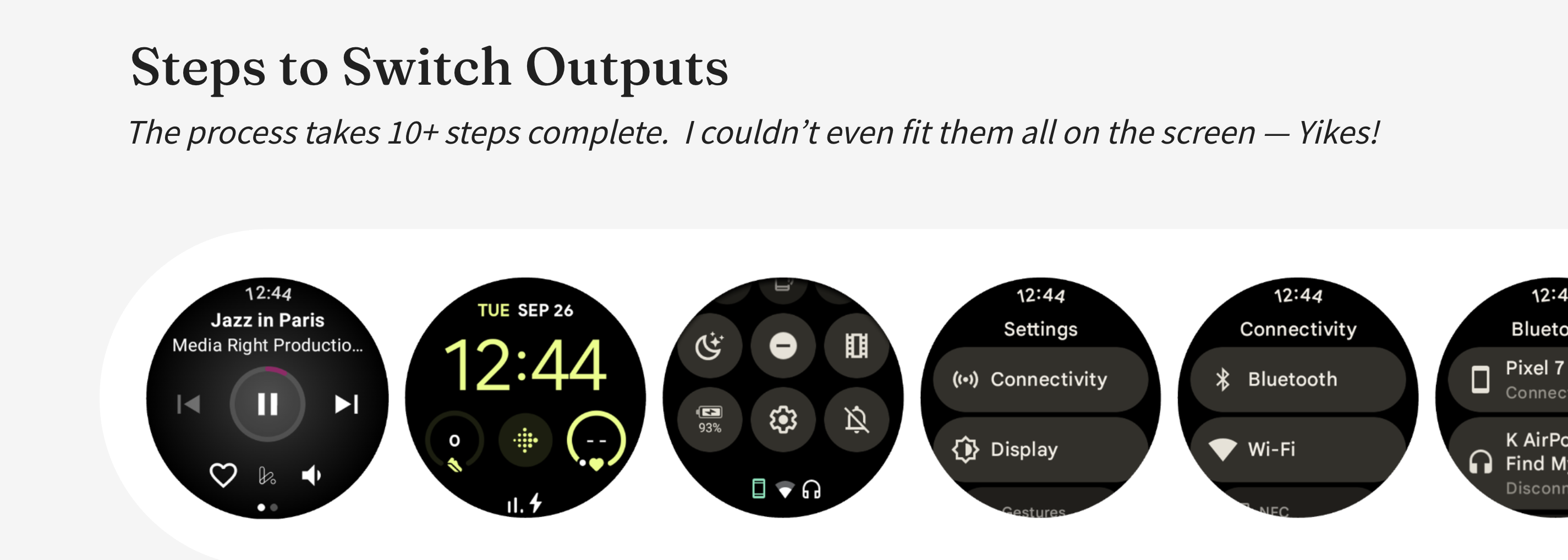
Switching devices meant 10+ steps through system settings.
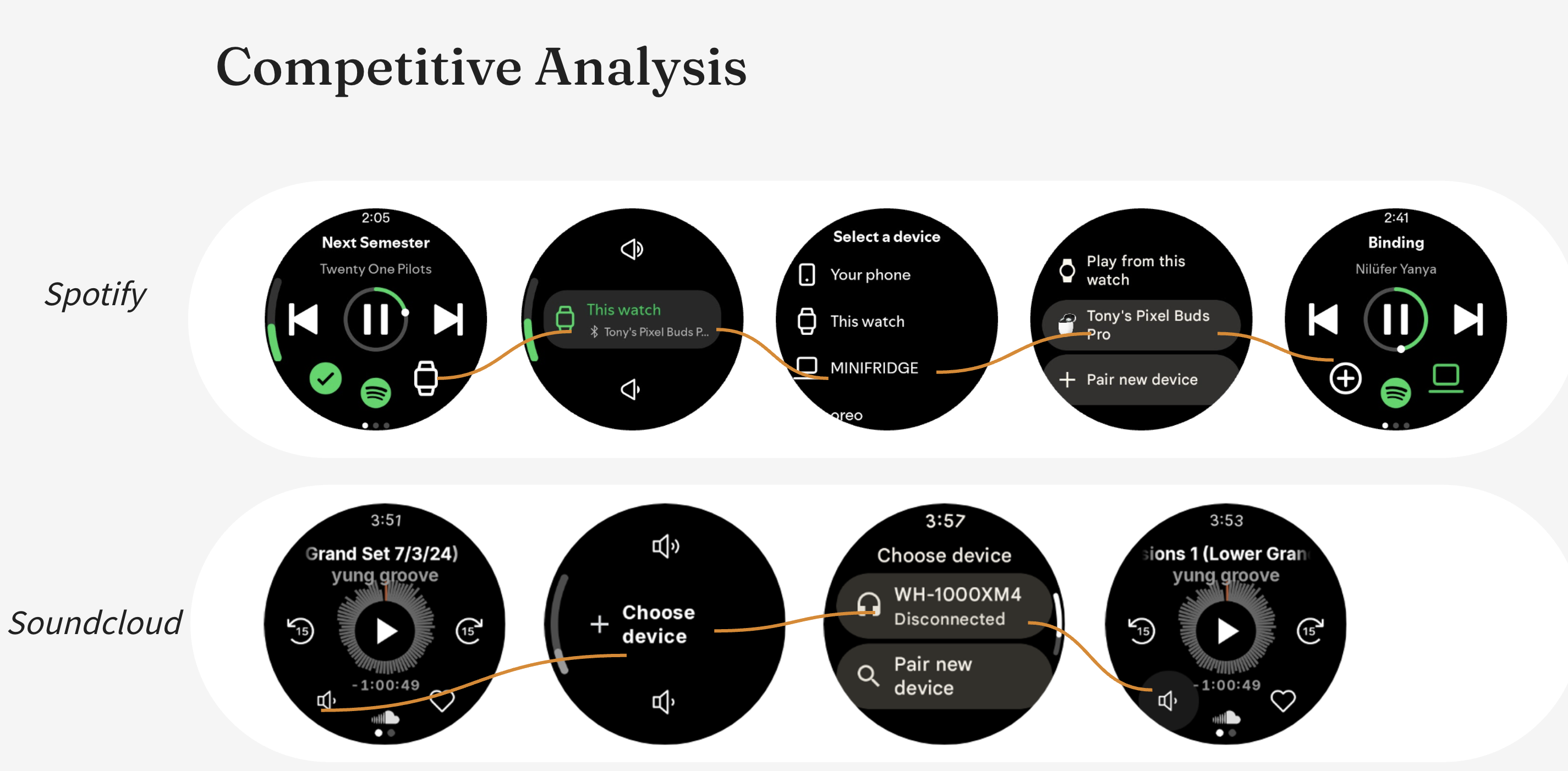
Spotify has limited custom controls; SoundCloud has an unintuitive entry point. Neither combined both well.
2 · Evolving the volume entry point
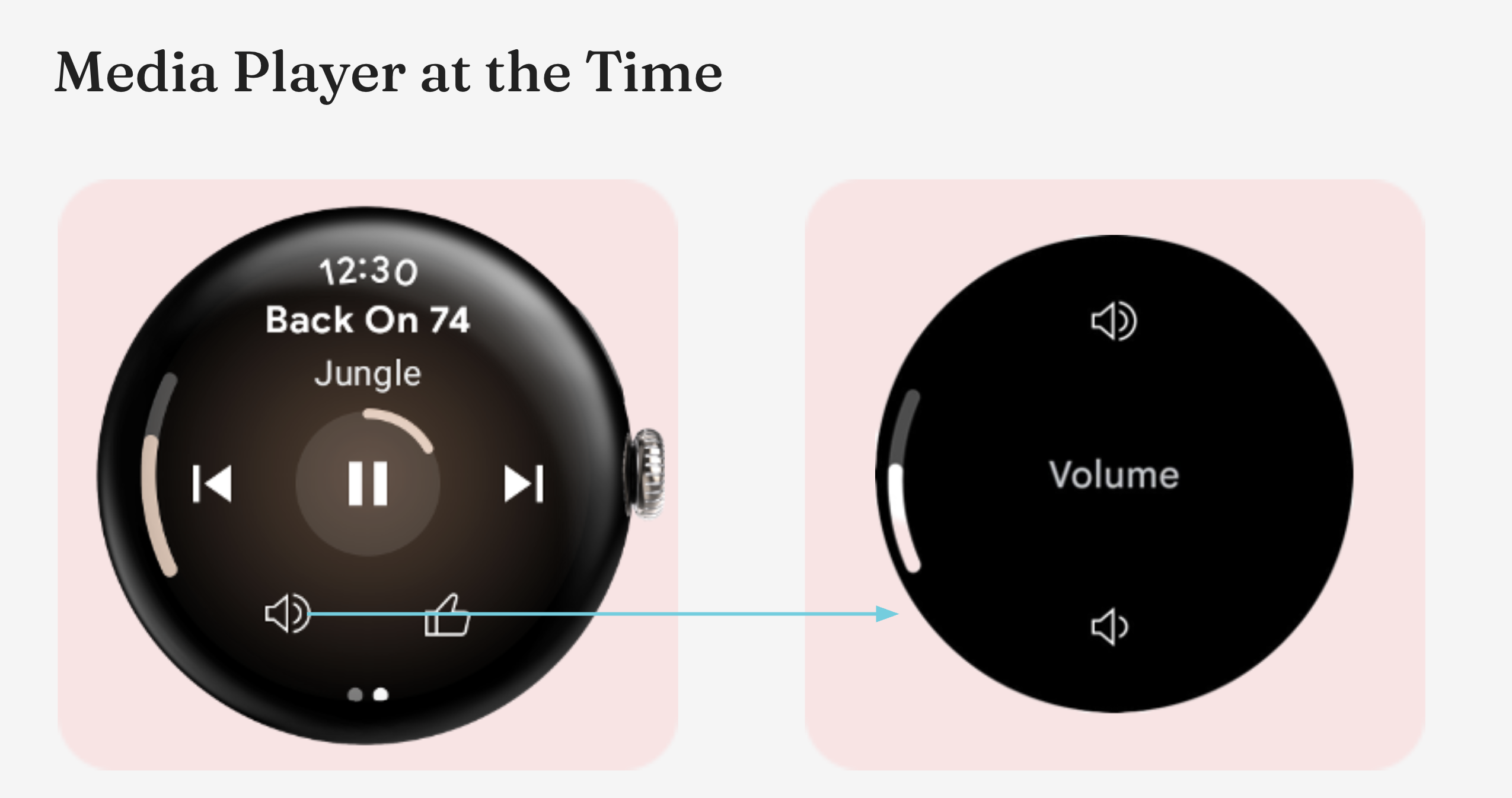
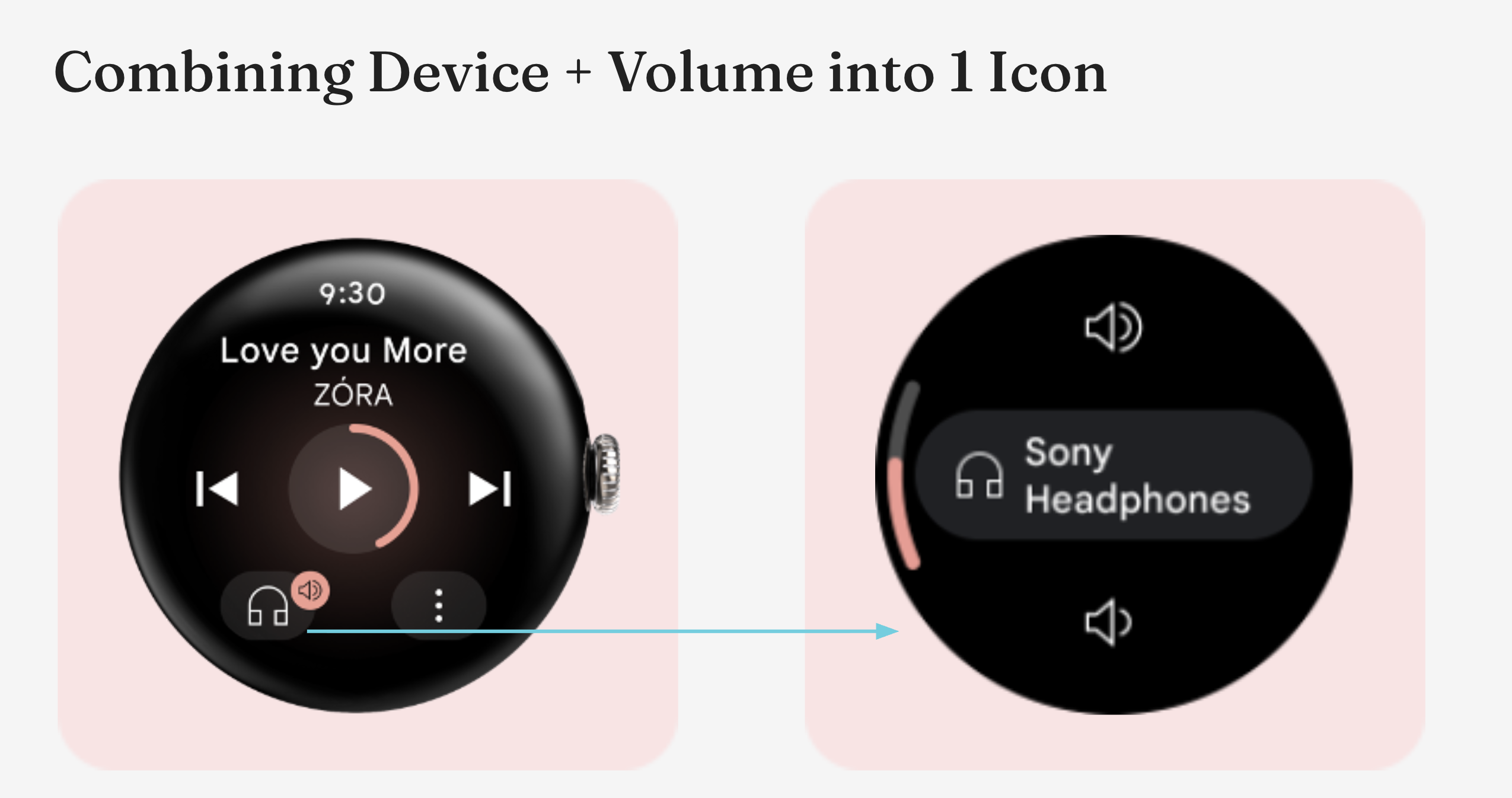
I gave the volume entry point a second job: a device icon, a highlighted backplate, and a track-colored volume badge.
3 · Tuning and landing the icon
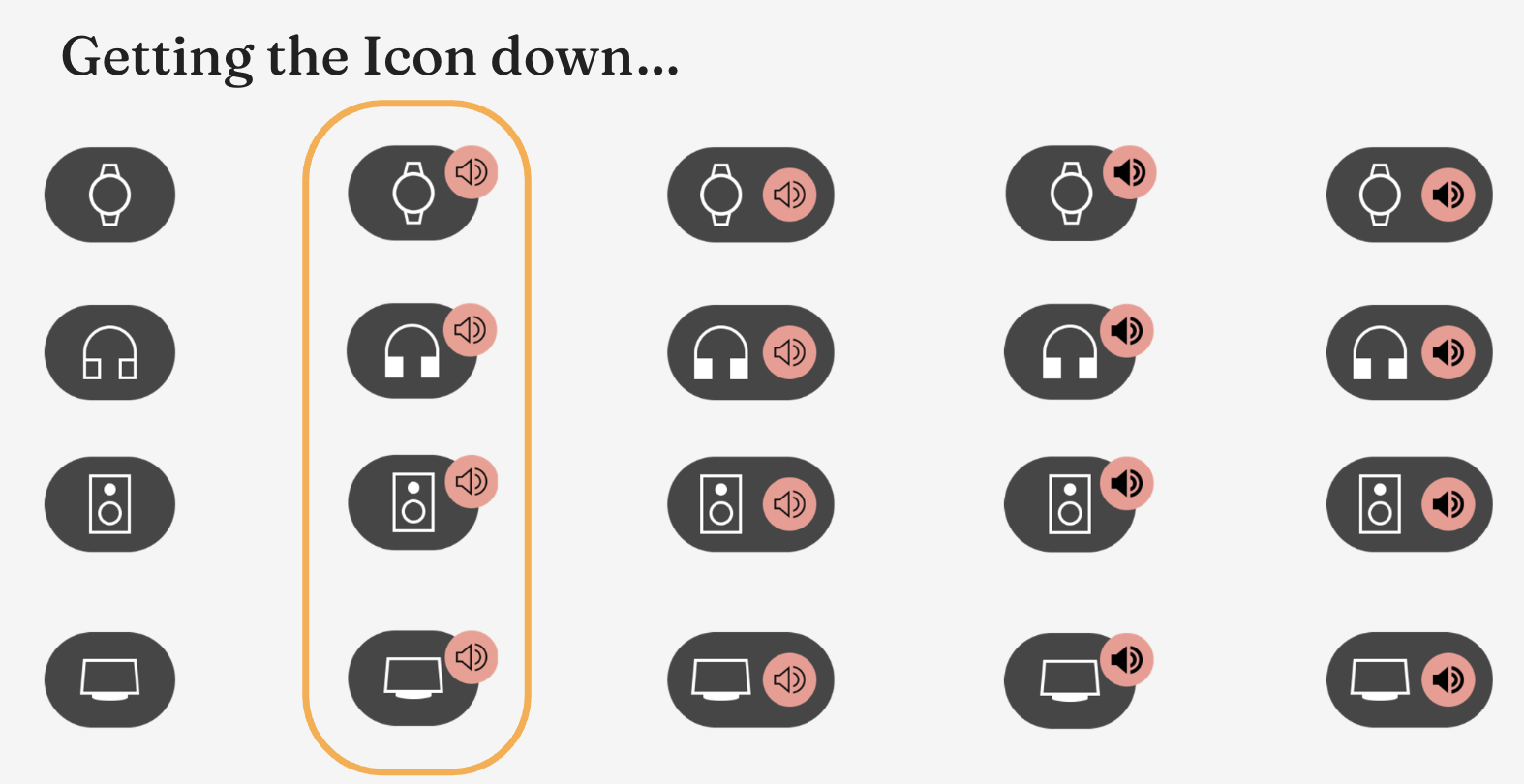
Several rounds of weight, fill, and badge placement landed on an unfilled, low-weight icon that informs without feeling heavy.
The design strategy:
- Put the new capability where users already look.
- Let the icon show state.
Design Review
But What About the Device Switching?
The icon showed where audio was going. Review turned to the flow behind it: how a user actually selects and switches between devices.
4 · The initial proposal
Tap the icon, land on a volume screen with Select device, then pick a device. Selecting and switching were two separate flows. Note: only showing selecting a device in this case study.
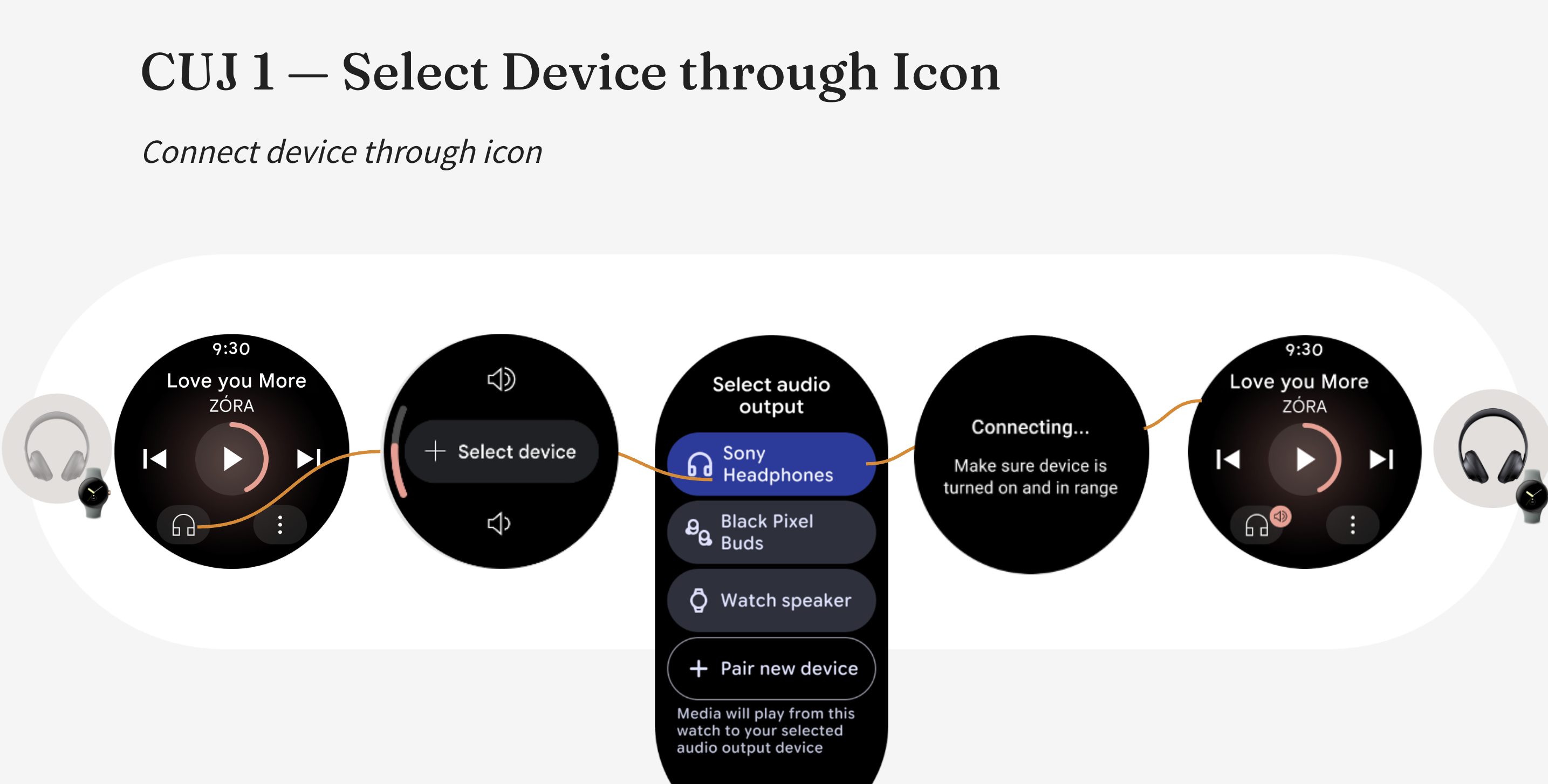
Selecting a device when none is connected.
5 · The feedback
- Review: why a volume screen before a device is picked? A context gap, not a design one. Not every watch has physical volume control, so that screen is a fallback I hadn't explained.
- Icon: the default icon didn't show whether a device was connected, so I replaced it with a speaker + headphone icon.
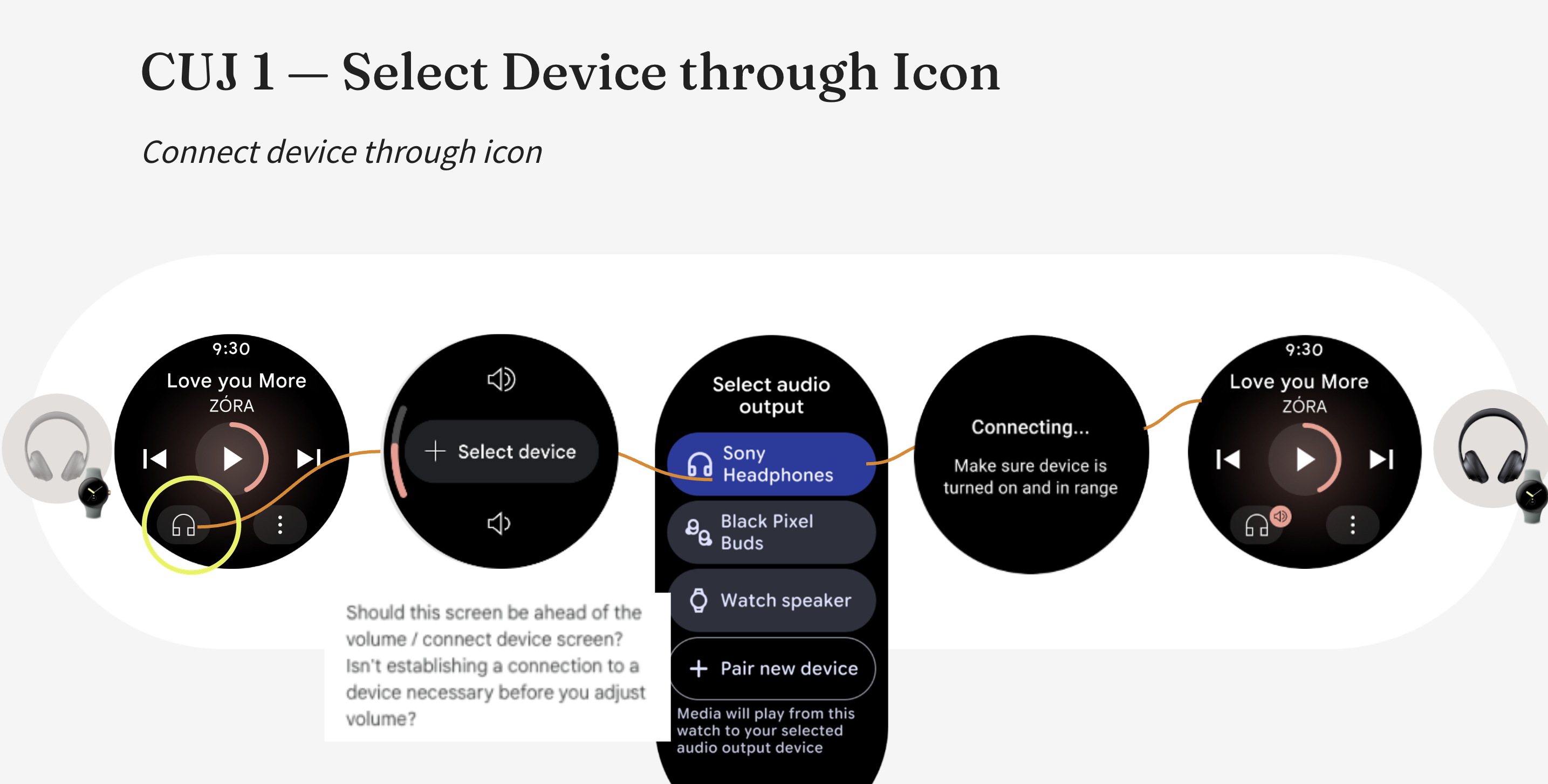
The review comment on the first proposal.
6 · Reframing around the critical user journeys
I rebuilt the default flow around the real entry point (press play, then the system output switcher) and added a clearer default icon that shows a device is eligible to be connected. The critical user journeys were approved.
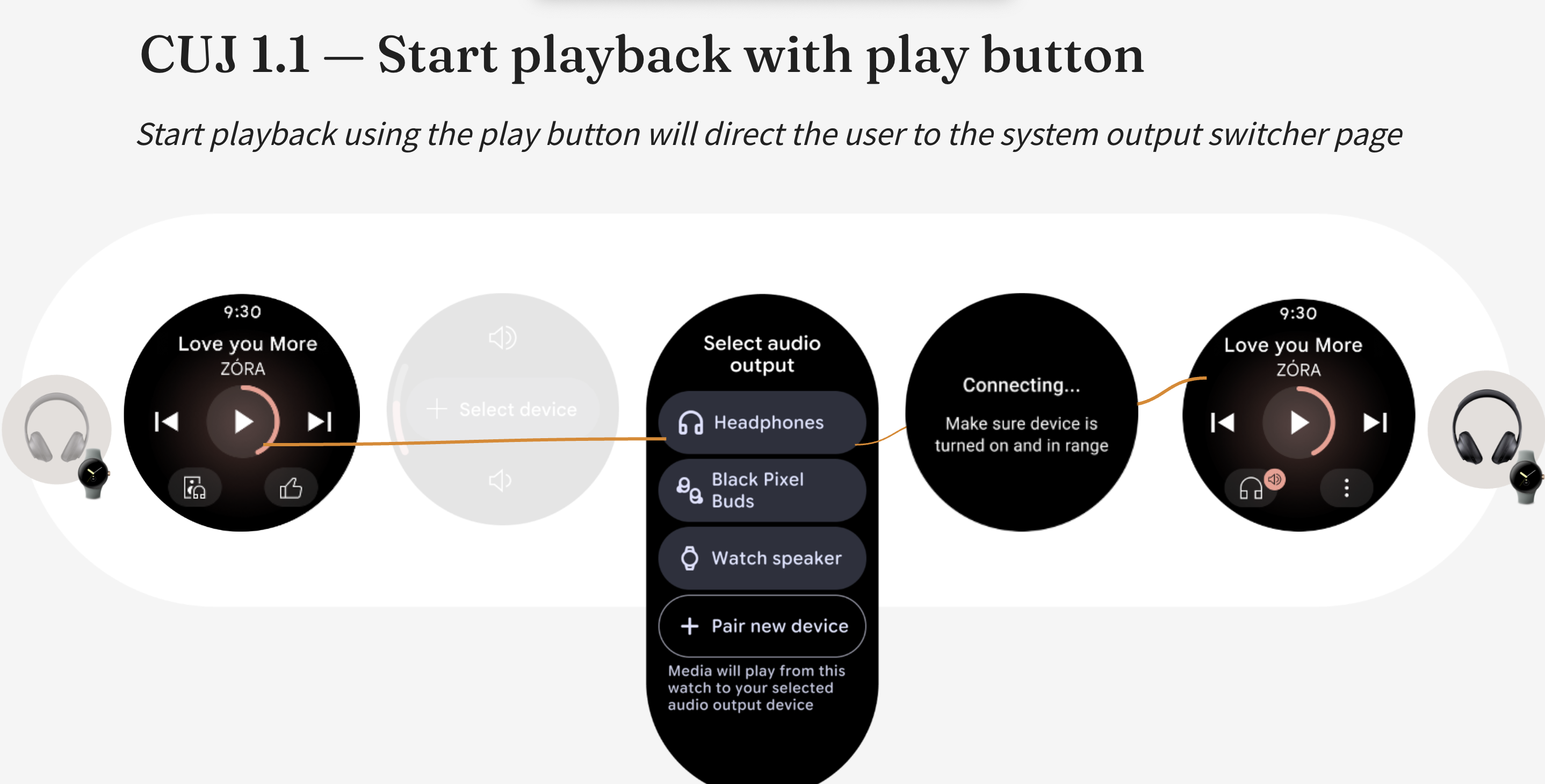
Approved: pressing play opens the output switcher.
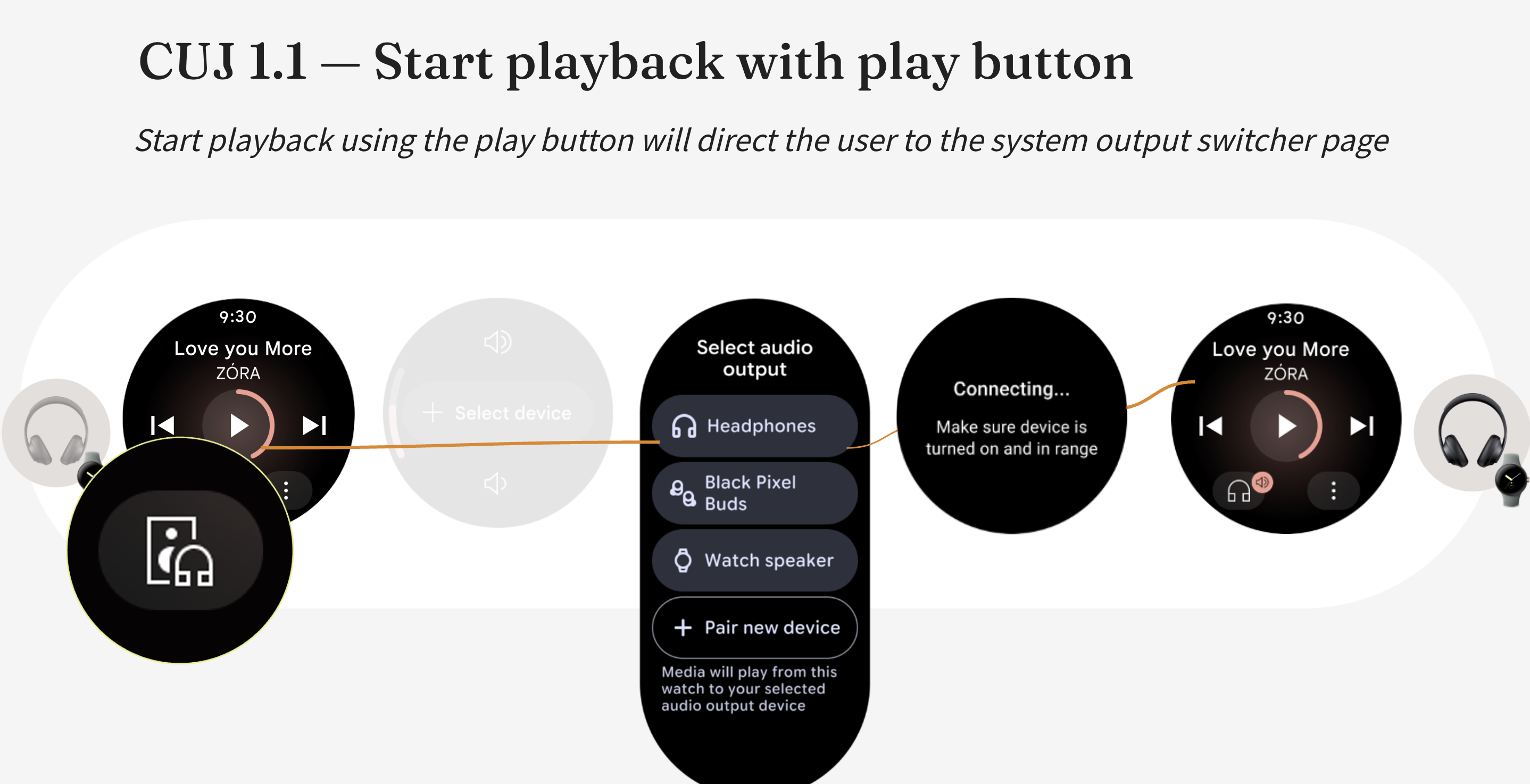
The new speaker + headphone icon, in detail.
What I'd do differently:
- Lead with the constraint. Explain the missing physical volume control before showing the screen that depends on it.
- Anchor reviews in the real entry point. Walk the flow as a user meets it, from pressing play.
Outcome
Usability testing
✓ Users immediately understood which device audio was routing to
“Shows music is coming out of that device... it's a nice visual indication.”
Previous case study
Material 3 Expressive: Making YouTube Music Feel Modern on Wear OS
The previous one began with a top-down mandate and no brief. This one started from a user need.